Events
Events shows what people do on your website: pageviews, feature events, and your own custom events. Think of a very minimalist Mixpanel, built into Sitebase.
Where events come from
Open a website in the dashboard and click Events in the sidebar (right under Analytics). There is nothing to set up — events flow in automatically from two sources:
- Pageviews — every page tracked by Analytics (the tracking snippet, or any page that embeds a
Sitebase feature) shows up as a
pageviewevent. - Feature events — whenever a visitor uses one of your embedded features, the action is logged
with its own name:
waitlist_signup,newsletter_signup,lead_magnet_signup,testimonial_submitted,contact_message,form_submission, orjob_application. - Custom events — your own events, sent from your own code with
sitebase.track()or adata-sitebase-eventattribute.
Social proof uses a separate, anonymous recent-event stream for its toasts, but the same visitor actions also show up here as feature events so you can inspect them in the dashboard.
The Events page documents all of this inline: while a site has no events yet, the page itself explains how to get them flowing (with your site's actual tracking snippet ready to copy). Once events arrive, the log opens in a Data tab and the same reference moves to a Docs tab beside it.
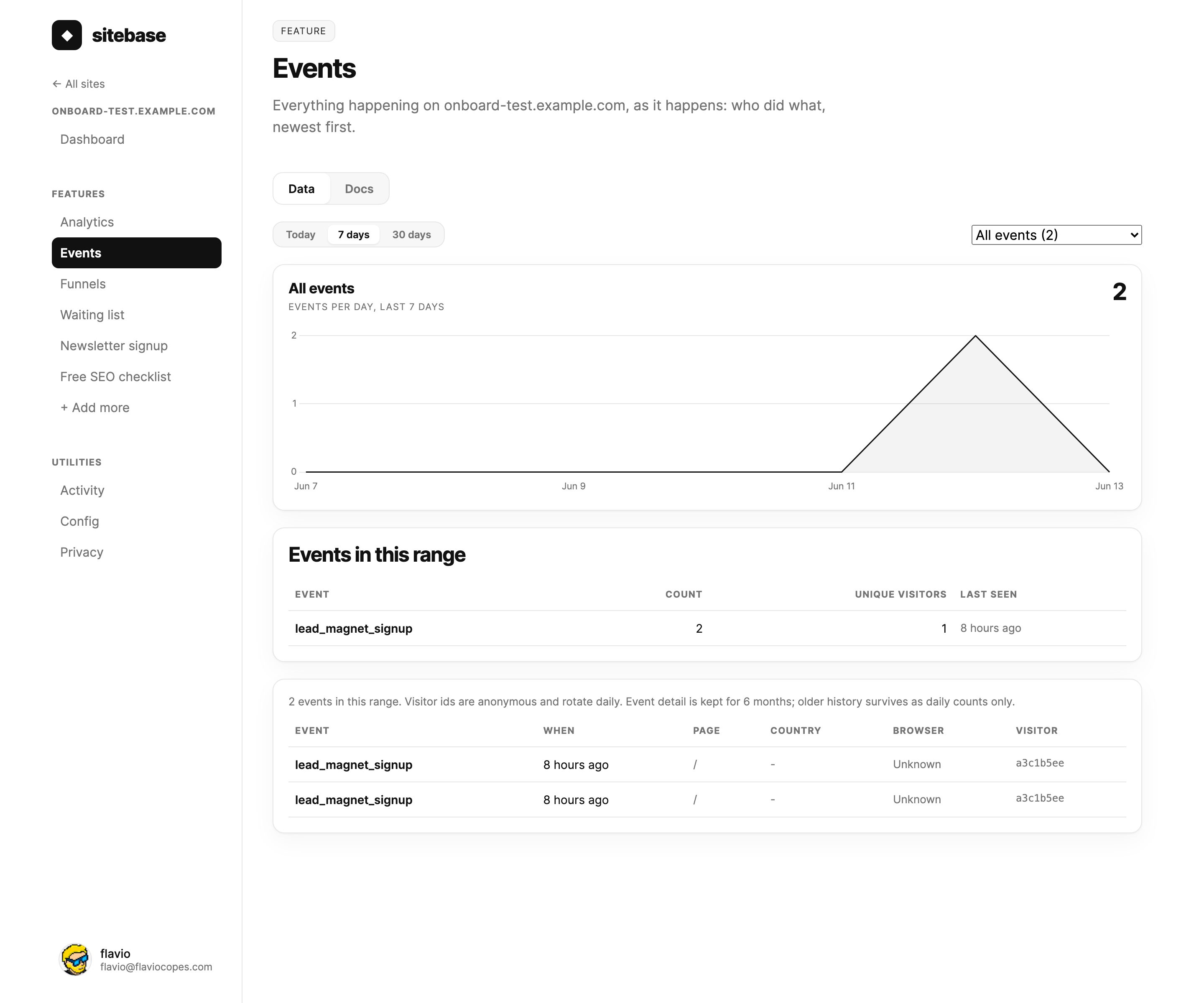
Reading the Data tab
The Data tab starts with an events-per-day chart for the selected range. Use it to see whether a launch, a new post, or a campaign caused more activity.
Below the chart, the summary table groups events by name. For each event you see the total count, unique visitors, and when it last happened. Click an event name to filter the page to just that event.
The log at the bottom is the raw stream, newest first. Each row shows the event name, when it happened, the page, country, browser, and an anonymous visitor id.
Custom events
You can send your own events from any page that loads the Sitebase script. The simplest way is
sitebase.track():
sitebase.track("signup_click", { plan: "pro" }) The first argument is the event name. The second argument is optional properties.
If your code can run before the Sitebase script loads, add this tiny stub before your code:
<script>window.sitebase=window.sitebase||{q:[],track:function(){this.q.push(arguments)}};</script> Track clicks without JavaScript
You can also track button and link clicks with an HTML attribute:
<button data-sitebase-event="signup_click">Sign up</button>
When someone clicks that element, Sitebase sends the event. This is perfect for simple funnel steps like a CTA click.
Event names and properties
Event names can be up to 60 characters and can include letters, numbers, spaces, and _ . : -.
pageview is reserved for automatic pageview tracking.
Properties are optional. You can send up to 10 per event. Values can be strings, numbers, or booleans. Long strings are trimmed, and anything over the limits is dropped silently while the event still records.
Property breakdowns
When you filter to one custom event, the Events page shows a Properties card. It lists the top values for each property key.
For example, if you send sitebase.track("signup_click", { plan: "pro" }), filtering to
signup_click shows the most common plan values.
Events and funnels
Every event can become a funnel step. Pageviews can be matched by path, and events can be matched by name. This is how you can measure flows like viewed pricing → clicked signup → joined waiting list.
See Funnels for the full walkthrough.
Events vs. Activity
Don't confuse the two logs. Events is about your website's visitors — what people do on your site. Activity (under Utilities) is about your team — who changed what in the dashboard, like publishing a feature or editing the theme.
Privacy and retention
Visitor ids follow the same privacy design as Analytics: an anonymous hash that rotates every day, with no cookies and no IP addresses stored. The same person keeps the same id within a day, so you can follow a short journey ("viewed two pages, then subscribed"), but can never be tracked across days. Raw event detail is kept for 6 months; older history survives as daily counts only.
Next: Funnels