Countdown timer
A countdown timer gives a deadline a visible place on your website. Use it for a launch, a sale, a cohort opening, or anything where "doors open soon" matters.
When to use it
Use a countdown when the date is part of the story. It works well on launch pages, pricing pages, course pages, limited-time offers, and pre-sale pages.
The timer is fixed-date. You set one target date and time, and every visitor sees the same countdown.
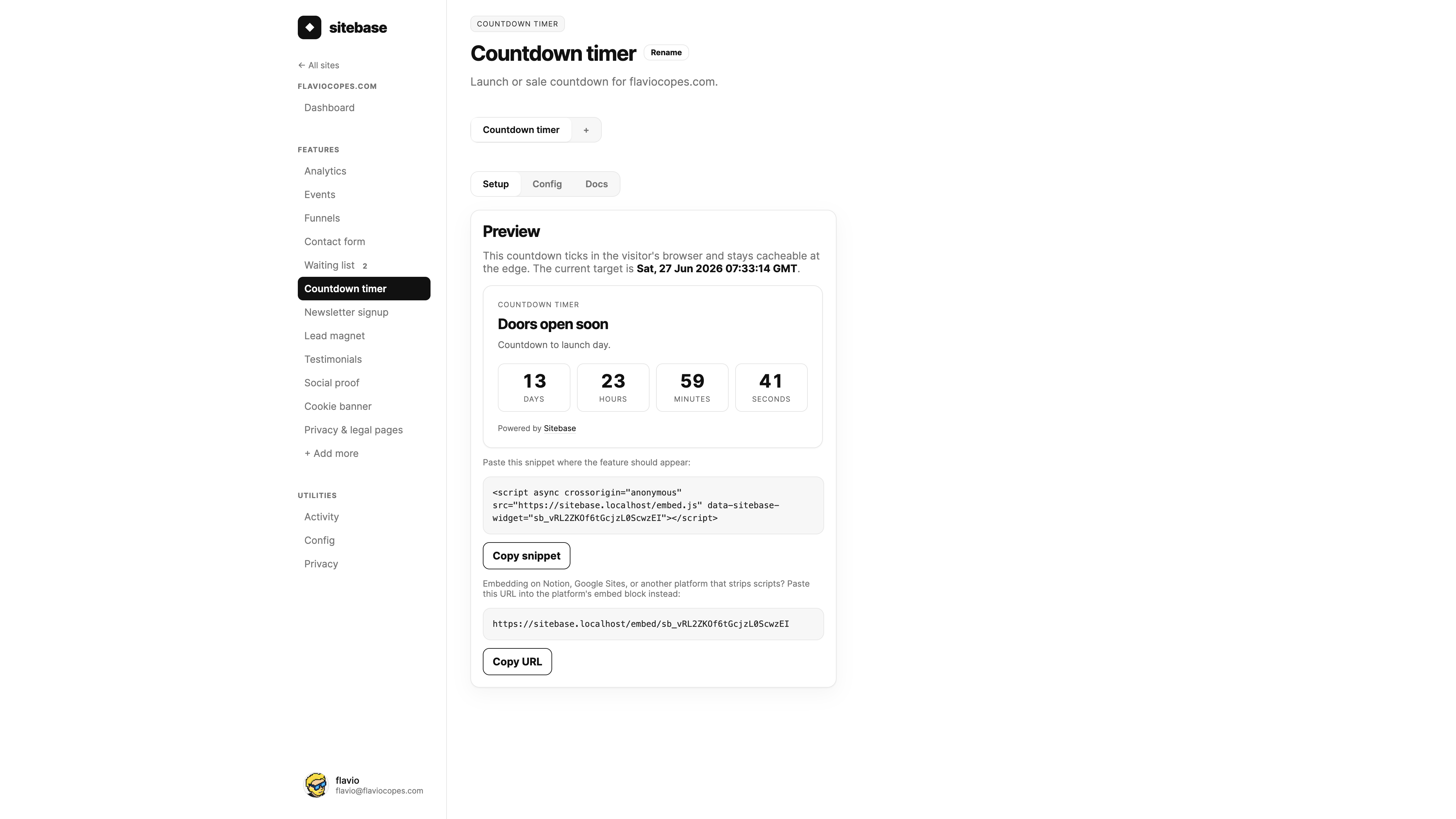
How it works
- Create a Countdown timer from your website's + Add more screen.
- Set the target date and time in the Config tab.
- Choose what happens when the countdown reaches zero.
- Copy the script snippet or hosted embed URL from Setup.
- Paste it where the timer should appear.
Pair it with a waiting list
A countdown is often stronger when people can do something before the deadline.
In the Config tab, you can choose one of the website's waiting lists. Sitebase renders that form under the timer, so the page can say "doors open in..." and collect people who want the reminder.
The waiting list keeps its own subscribers, chart, CSV export, and notifications. The countdown only displays the deadline and loads the selected form below it.
What happens at zero
You choose the expired state:
- Show a message — replace the ticking timer with a short message and optional CTA link.
- Hide the widget — remove the countdown from the page after the deadline passes.
Showing a message is usually best for launches. Hiding is useful when the surrounding page already changes after the offer ends.
Embedding
Countdown timers support both Sitebase install paths: the script snippet and the hosted embed URL.
The rendered HTML is cached at the edge. The browser does the ticking from a target timestamp baked into the widget, so the page stays fast and the timer still updates every second.
What you get
- Multiple countdown timers per website.
- A live preview in the dashboard.
- Configurable expired message, CTA, or hide behavior.
- Optional waiting list pairing for pre-launch pages.
- Script snippet and hosted embed URL.
Next: Newsletter signup