Funnels
Funnels show how visitors move through the important steps on your website: viewing a page, clicking a button, joining a list, submitting a form.
What a funnel is
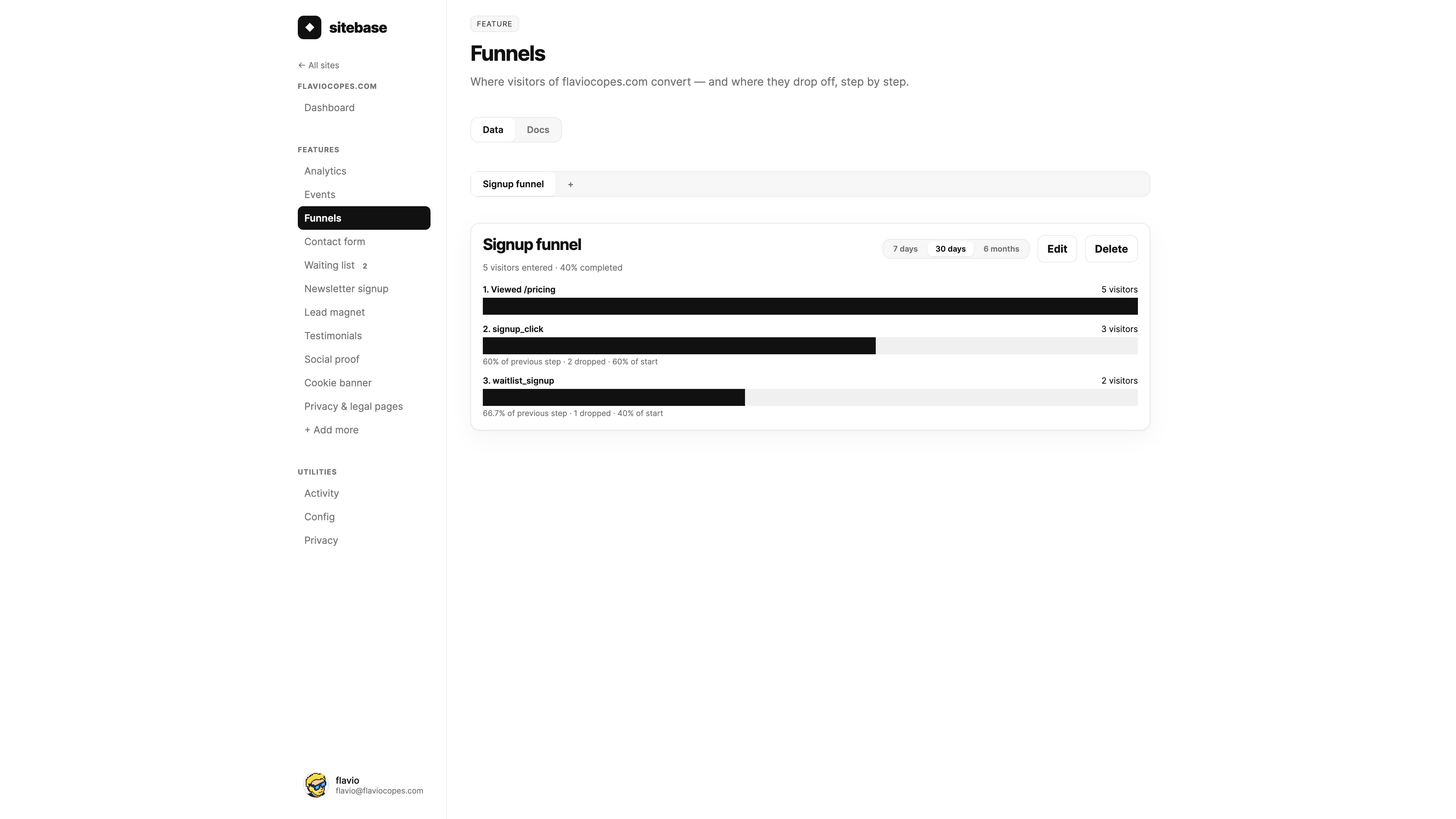
A funnel is an ordered list of steps. Sitebase counts how many visitors reach each step, in order, and shows where they drop off.
For example, a signup funnel might be:
- Viewed
/pricing - Clicked the signup button
- Joined the waiting list
Creating a funnel
Open a website in the dashboard and click Funnels in the sidebar, right after Events. If you have no funnels yet, the page shows the create form right away.
Give the funnel a name, then add 2 to 8 steps. You can mix pageviews and events in the same funnel.
Page visited
This step matches a pageview event for one exact path, like /pricing or
/checkout.
Event
This step matches an event by name. It can be a built-in feature event, like waitlist_signup, or a
custom event you send with sitebase.track().
Reading the funnel
Each row shows one step. The bar width is based on the first step: if the second step has half the visitors, the bar is half as wide.
Under each step after the first, Sitebase shows the conversion from the previous step, how many visitors dropped off, and the conversion from the start of the funnel.
Use the range tabs to switch between the last 7 days, 30 days, and 6 months.
How conversion is counted
Funnels are visitor-level. A visitor counts for step 2 only if they completed step 1 first. They count for step 3 only if they completed steps 1 and 2 first.
The steps can happen at any time inside the selected range. Sitebase does not require them to happen in the same visit.
Visitor ids are anonymous and rotate daily, like Analytics. This is intentional: funnels are useful, but they still follow Sitebase's privacy-first design.
Editing a funnel
Funnels are definitions, not stored reports. If you edit the steps, Sitebase recalculates the result from the events you already have.
This means you can create a funnel today and use it on yesterday's data too, as long as the events are still inside the 6-month detail window.
Next: Appearance